















































Apple launched their latest security update this week and users have been advised to install it immediately to keep their device safe

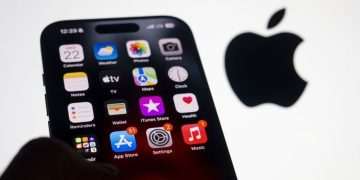
iPhone users have been issued an urgent update warning(Image: Getty )
Millions of iPhone owners are being advised to install Apple’s newest software update before using any online banking, shopping or travel apps that store sensitive personal data.
Apple launched iOS 26.6 and iPadOS 26.6 this week on July 27 with the update compatible with iPhone 11 and newer models, along with a selection of more recent iPad devices.
Apple’s security notes on the latest update detail an extensive list of fixes across iPhone and iPad software. These include issues where an app could potentially fingerprint the user, gain access to sensitive personal data, or handle maliciously crafted files in a manner that might trigger unexpected app crashes or arbitrary code execution.
Tech expert Ed Stapleton from Clicks Geek has warned that this update is important and iPhone users should act quickly to install it instead of leaving it in settings for weeks.
He said: “This is exactly the kind of update people are tempted to ignore because it does not arrive with flashy new features.
“But security updates are often the ones users should take most seriously. If Apple is fixing issues where apps may access sensitive data, fingerprint users, or where malicious web content could cause problems, that matters for anyone using their iPhone for banking, shopping, travel bookings, emails or two-factor authentication.
“The iPhone has become people’s wallet, passport folder, bank branch, photo album and inbox. If you use it for anything sensitive, keeping the software updated is basic digital hygiene.”
He added: “People often think security is only about avoiding obvious scams. That is part of it, but it is not the whole story. Software flaws can sit in the background and be fixed quietly through updates. That is why delaying updates for weeks or months is not a great habit.”
However, there is one thing users must do before installing the update – back up the device.
Apple’s own update guidance tells users to back up their iPhone or iPad before updating, then plug the device into power, connect to Wi-Fi, open Settings, tap General, then Software Update. If an update is available, users can tap Download and Install.
iPhone users should also check they have enough storage. The tech giant says if more space is needed during a wireless update, the device may ask to remove apps temporarily, or users can manually delete content to create space.
It further advises that keeping software up to date is one of the most important things users can do to maintain product security, and automatic updates can help devices receive features, security updates and bug fixes.
For those who often forget to do this, Ed suggests turning on automatic updates to ensure your device is as well secured as possible.
Apple refrains from disclosing full details of security vulnerabilities prior to fixes being made available in an attempt to safeguard customers.
That means ordinary users often only see a routine software update notification, even when the update is closing security flaws that could affect personal data, browsing activity, app behaviour or device privacy.

